
For most Australian and New Zealand small-to-medium businesses, Xero is the better default choice. It holds around 60% of the Australian cloud accounting market among small businesses and advisory firms, which means your accountant almost certainly knows it well, your vertical software probably integrates with it first, and onboarding a non-accountant staff member takes days rather than weeks. The main exception: if your business carries complex inventory across multiple locations, runs intricate Award-based payroll for a larger number of employees, or needs offline desktop access for remote sites, MYOB AccountRight is worth a serious look.
Both platforms meet Australian Tax Office requirements for Single Touch Payroll Phase 2 and BAS lodgement, so compliance alone rarely decides the question. What actually decides it is the combination of your payroll headcount, inventory complexity, and what your accountant uses every day.
Quick reasons to pick each:
- Choose Xero if you run a service-based or e-commerce business, want the widest app ecosystem, and your accountant already works in it.
- Choose Xero if you have fewer than 15 employees and want payroll included without per-employee fees stacking up.
- Choose MYOB if you carry multi-location stock, need lot/serial tracking, or run assemblies natively without add-ons.
- Choose MYOB AccountRight if you need offline desktop access for rural or construction sites with patchy connectivity.
- Ask Championbusinesscoaching first if you are unsure which fits your current growth stage. The wrong platform choice at the point of scaling costs more to fix than it does to get right upfront.
Table of Contents
- How do Xero and MYOB compare side by side?
- What does Xero vs MYOB pricing actually cost you?
- Which platform is easier to use day to day?
- How do the integration ecosystems compare?
- How do payroll and compliance differ between the two platforms?
- Which platform handles inventory and job costing better?
- How do reporting and analytics compare?
- What are the security and data privacy differences?
- Why does your accountant's platform preference matter so much?
- How do you migrate between platforms without losing data?
- How do you decide which platform is right for your business?
- How we evaluated Xero and MYOB for this comparison
- Key Takeaways
- Why the right accounting software is about more than bookkeeping
- Pair your software decision with coaching that makes it stick
- Useful sources and reference links
How do Xero and MYOB compare side by side?
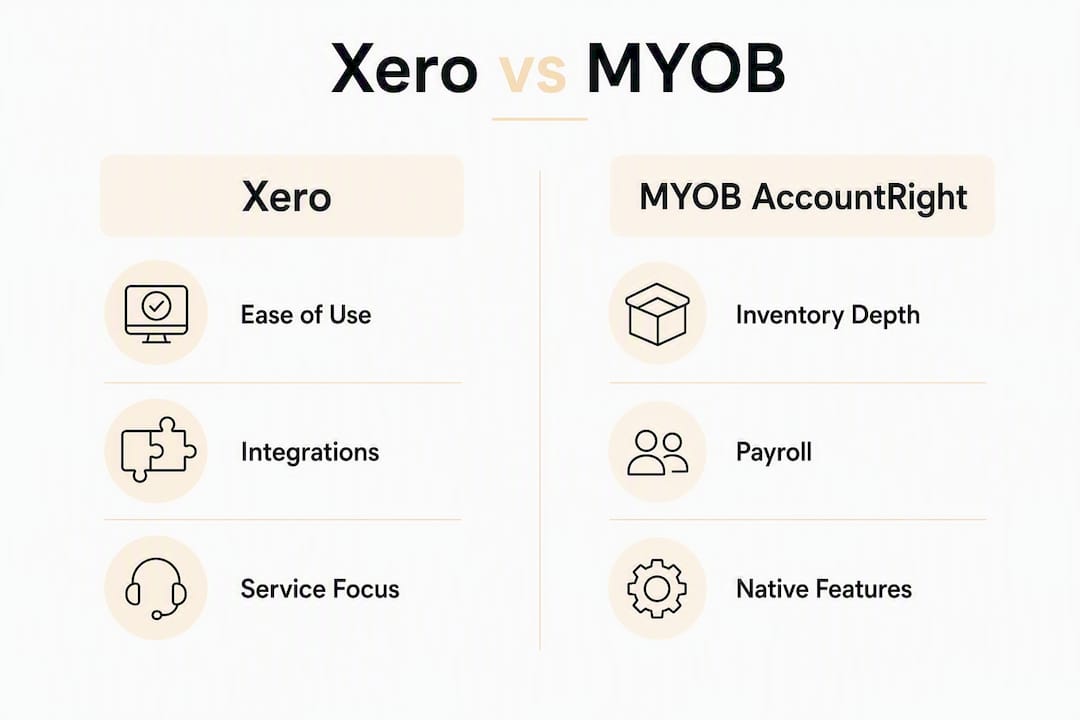
Xero generally wins on ease of use and integrations, while MYOB AccountRight wins on native inventory depth and payroll flexibility at scale. The table below maps the decision dimensions that matter most.

| Dimension | Xero | MYOB AccountRight |
|---|---|---|
| Best for | Service businesses, e-commerce, professional services | Inventory-heavy, construction, hospitality, 15+ employees |
| Pricing shape | Tiered by features; payroll per-employee on most plans | Tiered; unlimited payroll on higher plans |
| Ease of use | Clean UI; fast onboarding for non-accountants | Steeper curve; deeper capability once learned |
| Integrations | 1,000+ apps; new integrations arrive here first | Smaller ecosystem; strong native features reduce need |
| Payroll & compliance | STP Phase 2, BAS; per-employee payroll fee | STP Phase 2, BAS; unlimited payroll on AccountRight Plus |
| Inventory & job costing | Basic native; add-ons needed for advanced features | Multi-location, lot/serial, assemblies built in |
| Reporting & analytics | Good native reports; third-party tools for multi-entity | Detailed job-level P&L; strong native job costing |
| Support & adviser network | Large Xero-certified adviser base; Xero HQ for practices | Established MYOB partner network; strong in desktop-familiar firms |
| Migration effort | Moderate; cloud-only import tools | Moderate to high; desktop data export adds a step |
Both platforms are fully compliant with ATO requirements, so that row is a draw. The rows that actually flip the decision are payroll headcount, inventory complexity, and integration needs.
Pro Tip: Before you model pricing, count three things: your monthly invoice volume, your payroll headcount, and the number of users who need access. Run those numbers against each platform's current plan limits. That single exercise resolves the price question for most businesses without needing a demo.
What does Xero vs MYOB pricing actually cost you?
Headline prices are misleading. Entry-level pricing shows MYOB Lite below $35 per month versus Xero's Ignite plan at $35, but that comparison collapses the moment you add payroll employees or need more than a handful of invoices per month.
Here is where the math shifts:
- Invoice caps: Xero's entry Ignite plan caps invoices and quotes at five per month. Most trading businesses exceed that within the first week, which pushes them to a higher plan immediately.
- Payroll per-employee fees: Xero charges per employee on most plans. For a team of three or four, the total stays competitive. For a team of ten or more, those fees add up fast.
- MYOB's unlimited payroll advantage: MYOB AccountRight Plus includes unlimited payroll at a flat fee, which makes it materially cheaper for businesses with 15 or more employees compared with Xero's per-employee model at that scale.
- User access: MYOB AccountRight charges per user on some plans. Xero includes unlimited users on most plans above entry level, which matters for businesses where multiple staff need read or data-entry access.
The total cost of ownership commonly flips once you include payroll. MYOB's per-employee fees make its headline price attractive for sole traders, but for teams of 5–15 the included payroll and unlimited users in Xero can make it the cheaper option overall.
Common hidden costs to budget for on either platform:
- Third-party inventory apps (Xero users with complex stock needs often add Cin7 or DEAR Inventory)
- Advanced reporting tools for multi-entity consolidation (Fathom, Spotlight Reporting)
- Adviser setup fees for chart-of-accounts mapping and historical data import
- Migration costs if switching from desktop MYOB to cloud, or from one platform to the other
The practical test: if your payroll headcount is under 10 and your monthly invoice volume exceeds five, Xero's mid-tier plan is usually the cleaner fit. Above 15 employees with complex Award conditions, run the MYOB AccountRight Plus flat-fee number against Xero's per-employee total before deciding.
Which platform is easier to use day to day?
Xero wins on day-to-day friction for owner-managed bookkeeping. A business owner with no accounting background can typically reconcile a month of bank transactions in Xero within their first week, because the bank feed matching interface is designed to minimize decisions. MYOB AccountRight is more capable in several areas, but that capability comes with a steeper learning curve that rewards users who invest time upfront.

Bank reconciliation in Xero works by suggesting matches automatically and letting you approve or adjust them in a single click. The mobile app mirrors that simplicity: you can photograph a receipt, attach it to a transaction, and reconcile from your phone without logging into a desktop. MYOB's mobile experience has improved, but it still lags Xero's for owners who want to handle basic bookkeeping on the go.
Ease-of-use friction is the primary driver behind many small business switches to Xero. Businesses using external bookkeepers feel this less, because the bookkeeper absorbs the interface complexity. If you are doing your own books, that UX difference translates directly into hours per month.
The steeper MYOB learning curve is actually an advantage in two specific cases: businesses migrating from the desktop version of MYOB who already know the interface, and firms with a complex chart of accounts that benefit from AccountRight's more granular structure. For those businesses, the familiarity reduces retraining cost and the depth pays off in reporting.
Pro Tip: Before you go live on either platform, reconcile one full month of historical transactions with your bookkeeper present. That single session surfaces account mapping errors, GST classification issues, and bank feed connection problems before they compound.
How do the integration ecosystems compare?
Xero's app marketplace routinely receives new integrations first, and with 1,000+ connected apps it covers almost every vertical a small business operates in. MYOB's ecosystem is smaller, but its stronger native features mean many businesses need fewer add-ons to begin with.
The integration gap matters most by industry:
- Retail and hospitality: Xero connects with Lightspeed, Square, and Shopify natively. MYOB connects with fewer POS systems out of the box.
- Trades and construction: ServiceM8 and Tradify both integrate with Xero; MYOB integrations exist but are less consistently maintained.
- Health and allied health: Cliniko integrates with Xero; practices using MYOB often rely on manual export/import or a third-party connector.
- Accounting practices: Xero HQ gives advisers a practice management layer that MYOB's partner tools do not fully replicate.
Before committing to either platform, run a three-step integration check: (1) confirm the integration exists on the vendor's support page, (2) test it in a sandbox or trial account with real transaction volumes, and (3) map the account codes to your chart of accounts with your adviser. Skipping step three is the most common cause of integration-related reconciliation errors after go-live.
Pro Tip: If a specific integration is critical to your business (a POS system, a job management app, a payroll provider), ask the integration vendor directly whether they support both platforms equally. "Supported" on a marketplace listing sometimes means a one-way data push, not a full two-way sync.
For contractors and field-based businesses weighing cloud versus hybrid options, cloud accounting for contractors covers the practical trade-offs in detail.
How do payroll and compliance differ between the two platforms?
Both Xero and MYOB meet Australian STP Phase 2 and BAS lodgement requirements, so neither platform puts you at compliance risk for standard payroll. The difference is in depth, pricing structure, and how well each handles complex Award conditions.
Xero's payroll is clean and fast for straightforward pay runs. It handles standard Awards, leave accruals, and STP reporting without friction. The per-employee fee model means costs scale linearly with headcount, which is predictable but expensive at scale.
For businesses running hospitality, aged care, or construction payroll with multiple shift penalties, overtime rules, and Award interpretations, MYOB AccountRight's payroll engine handles more complexity natively. The flat-fee unlimited payroll on higher AccountRight plans is a genuine cost advantage once you pass roughly 15 employees.
The payroll break-even point varies by plan and current pricing, but the pattern is consistent: MYOB AccountRight Plus includes unlimited payroll at a flat fee, while Xero's per-employee charges accumulate. Run the numbers at your current headcount and at your projected headcount 12 months out.
Red flags that should trigger a payroll demo with your adviser before you commit:
- You run multiple Award types across the same team
- You have casual staff with variable penalty rates and shift loadings
- You process payroll across multiple entities or ABNs
- You are moving from a dedicated payroll system (KeyPay, Employment Hero) and need to confirm Award interpretation accuracy
Which platform handles inventory and job costing better?
For businesses that need powerful native inventory, MYOB AccountRight is usually the better fit. It supports multi-location stock, lot and serial number tracking, and assemblies without requiring a third-party add-on. Xero's native inventory covers basic stock tracking but stops well short of that depth.
Industries where MYOB's native inventory saves real money:
- Manufacturing and wholesale: assemblies and bill-of-materials tracking built in
- Complex retail: multi-location stock with serial number tracking
- Building and construction: job costing with detailed cost-to-complete reporting
- Food and beverage production: lot tracking for batch traceability
Xero users who need advanced inventory typically add Cin7 Omni, DEAR Inventory (now Cin7 Core), or Unleashed. These are capable tools, but each adds monthly cost, a separate login, and an additional integration to maintain. For a business where inventory is central to operations, that add-on layer introduces reconciliation risk and support complexity.
The exception where Xero's approach works well: businesses that use a dedicated inventory or POS system as their source of truth and only need accounting-level stock values to flow through. In that case, the integration handles the heavy lifting and Xero's simpler native inventory is sufficient.
Pro Tip: If you are evaluating MYOB for inventory, ask your adviser to demo a multi-location stock transfer and a job cost report in AccountRight before you commit. The native capability is genuinely strong, but the interface takes time to learn, and you want to see it working with your product categories before signing up.
How do reporting and analytics compare?
Xero's native reporting covers the standard set well: profit and loss, balance sheet, cash summary, aged receivables and payables, and GST reports. Building a custom report is straightforward for most users. Where it falls short is multi-entity consolidation, job-level P&L, and forward-looking cash flow forecasting. Those gaps push many growing businesses toward third-party reporting tools.
MYOB AccountRight's native reporting goes deeper on job costing and cost-centre analysis, which matters for construction, project-based services, and businesses that need to track profitability at the job or department level. The trade-off is that the reporting interface is less intuitive for non-accountants.
Commonly paired reporting tools that work with both platforms:
- Fathom for KPI dashboards, benchmarking, and management reporting
- Spotlight Reporting for multi-entity consolidation and board-level reporting
- Futrli for cash flow forecasting and scenario planning
These tools are worth the additional cost when you have multiple entities, need to report to investors or a board, or want rolling cash flow forecasts beyond what the native platform provides. For a single-entity business under $5 million in revenue, the native reports in either platform are usually sufficient.
Before purchasing, trial your reporting workflow with your adviser using three months of real data. That test will surface whether the native reports meet your needs or whether a third-party tool is genuinely necessary.
What are the security and data privacy differences?
Both platforms use enterprise-grade encryption and support two-factor authentication, but their deployment models create a meaningful practical difference. Xero is cloud-only. MYOB AccountRight offers cloud and a desktop/hybrid option that stores data locally and syncs when connected.
Security items to verify before going live on either platform:
- Two-factor authentication enabled for all users (not just the admin)
- Role-based access controls so staff see only what they need
- Data export capability: can you download a full backup in a portable format?
- Backup and restore policy: what is the vendor's recovery time objective if data is corrupted?
- Audit log: does the platform record who changed what and when?
Cloud-only design creates a smoother user experience but removes an offline option that some project-based businesses need for remote sites. AccountRight's offline/desktop sync is valuable for rural or construction operations with intermittent connectivity, where guaranteed local access during site work is an operational requirement, not just a preference.
For data residency, both platforms store Australian business data in Australian data centers, but confirm the current policy with each vendor before committing, as hosting arrangements can change with platform updates.
Run your security checklist with your IT adviser or bookkeeper before go-live. The two items most commonly skipped are role-based access controls and the data export test.
Why does your accountant's platform preference matter so much?
Accountant preference and established practice workflows are a significant influence on platform choice. When your adviser is proficient in a platform, they work faster, make fewer errors during lodgements, and charge you less time per quarter. When they are learning alongside you, you pay for that learning curve in billable hours.
Many accounting firms standardize on a single platform and train staff around it. Asking your accountant which platform they prefer is not just a courtesy question. It is a cost question. An adviser who uses Xero HQ to manage client files, run practice-level reporting, and push workpapers directly from the platform will handle your BAS and year-end faster than one who has to export, reformat, and re-import data.
Advisers are rarely neutral, and the simplest practical step is to consult your accountant early because their platform proficiency materially affects ongoing costs and migration overhead.
Questions to ask your accountant or bookkeeper before committing:
- Which platform do you use for the majority of your clients?
- Are you a Xero Certified Adviser or an MYOB Partner?
- Have you migrated clients between these platforms before, and what did that process involve?
- Will your fees change depending on which platform I use?
- Can you support me through the first BAS period on the new platform?
If your accountant is strongly proficient in one platform and only passingly familiar with the other, that preference should carry significant weight in your decision, even if the feature comparison slightly favors the other option.
How do you migrate between platforms without losing data?
Migration is manageable when it is planned. Both platforms typically migrate chart of accounts, contacts, two years of transaction history, and open invoices, but the process requires careful preparation to avoid gaps.
| Migration item | Responsibility | Notes |
|---|---|---|
| Chart of accounts | Adviser | Map carefully; account codes differ between platforms |
| Contacts (customers, suppliers) | Client + adviser | Export CSV, clean duplicates before import |
| Two years of transaction history | Adviser / migration tool | Verify GST classifications carry across correctly |
| Open invoices and bills | Client + adviser | Reconcile against aged receivables report before cutover |
| Payroll history | Adviser | STP year-to-date figures must match at cutover |
| Bank feed connections | Client | Reconnect manually post-migration; feeds do not transfer |
| Third-party integrations | Client + integration vendor | Re-authenticate each integration after go-live |
Migration checklist:
- Schedule the cutover at the end of a BAS quarter to minimize split-period complexity
- Reconcile the overlap month in both systems before decommissioning the old platform
- Run parallel payroll for at least one pay period to confirm STP figures match
- Confirm invoice caps on the new plan before migrating (avoid a surprise upgrade on day one)
- Test bank feed reconnection and at least one integration before the old system goes offline
Common pitfalls: migrating mid-quarter and creating a split GST period that requires manual journal entries; underestimating the time to re-authenticate integrations; and skipping the parallel payroll check, which surfaces STP discrepancies after the fact.
Knowing when it is time to change your accounting software is a separate question from how to migrate. Resolve the "whether" before you start the "how."
How do you decide which platform is right for your business?
Start with the fastest test: count your payroll headcount and your monthly invoice volume. Those two numbers resolve the price question for most businesses without a demo.
Prioritized decision checklist:
- Payroll complexity first. Under 10 employees with standard Awards? Xero's payroll is sufficient and often cheaper. Over 15 employees, or running hospitality/construction Awards with shift penalties? Model MYOB AccountRight Plus's flat-fee payroll against Xero's per-employee total.
- Inventory needs second. Basic stock tracking only? Either platform works. Multi-location, lot/serial, or assemblies? MYOB AccountRight avoids the add-on cost and complexity.
- Critical integrations third. List the three integrations your business cannot operate without. Check each one on both platforms' marketplaces, then verify with the integration vendor directly.
- Adviser skill fourth. Ask your accountant the five questions listed in the accountant section above. Their answer should carry significant weight.
- Offline requirement fifth. If your team works on remote sites with no reliable internet, MYOB AccountRight's desktop sync is a practical requirement, not a nice-to-have.
Red flags that should push you to an adviser-led pilot:
- You run complex Awards across multiple employee types
- You have two or more warehouses or stock locations
- You process payroll across multiple entities
- You are currently on desktop MYOB and have years of historical job-costing data
Script for talking to your accountant:
That conversation, with those specific numbers, will get you a more useful answer than any online comparison.
How we evaluated Xero and MYOB for this comparison
This comparison draws on vendor pricing pages, independent marketplace guides, practice-level commentary from accounting firms, and ATO compliance documentation. The primary dimensions evaluated were: pricing shape across realistic business sizes, payroll depth and compliance coverage, integration ecosystem breadth, native inventory capability, ease of use for non-accountants, and migration friction.
A note on pricing: both vendors update plan pricing and feature inclusions regularly. Every figure in this article reflects publicly available pricing at the time of writing. Verify current plan details directly on each vendor's pricing page before making a purchase decision, and ask your adviser whether any promotional pricing applies to new accounts.
Limitations: this comparison does not include hands-on testing of every plan tier or every integration. Payroll Award interpretation accuracy varies by configuration and should be tested with your specific Awards in a trial account before committing. Migration cost estimates depend heavily on data volume and adviser hourly rates, which vary by firm.
Key Takeaways
For most AU/NZ small businesses, Xero is the better default choice, with MYOB AccountRight the stronger option when inventory depth, complex payroll, or offline access is a hard requirement.
| Point | Details |
|---|---|
| Default recommendation | Xero suits most service-based and e-commerce SMBs, especially where accountant familiarity and integrations matter. |
| Payroll break-even | MYOB AccountRight Plus's flat-fee unlimited payroll becomes cheaper than Xero's per-employee model around 15 employees. |
| Inventory decision | MYOB AccountRight handles multi-location stock, lot/serial tracking, and assemblies natively; Xero requires add-ons for the same capability. |
| Migration timing | Switch at the end of a BAS quarter, reconcile an overlap month, and run parallel payroll for at least one pay period. |
| Championbusinesscoaching | Championbusinesscoaching helps AU/NZ SMBs pair software selection with process coaching to reduce migration risk and speed ROI. |
Why the right accounting software is about more than bookkeeping
Most software comparisons treat this as a features question. It is actually a business performance question, and the distinction matters.
The accounting platform you choose determines how quickly you can see your cash position, how accurately you can track job-level margins, and how much time your team spends on reconciliation versus decisions. A business running a clean chart of accounts with weekly bank reconciliation has a fundamentally different decision-making cadence than one that reconciles quarterly and finds out about a cash shortfall after it has already hit.
What I see consistently is that businesses underestimate the process change required when switching platforms. The software is the easy part. The hard part is building the habit of using it correctly: coding transactions consistently, reconciling on a schedule, and actually reading the reports it generates. A new platform without a new process delivers the same outcome as the old platform.
The businesses that get the most out of a software migration are the ones that treat it as a systems project, not an IT project. They map their chart of accounts to their actual cost structure. They set up reporting that connects to the margins and profits they actually manage. They build a business systemization layer around the software so the data flows in cleanly and the reports mean something.
The software choice matters. The process built around it matters more.
Pair your software decision with coaching that makes it stick
Choosing between Xero and MYOB is a 30-minute decision when you have the right numbers in front of you. Implementing it well, building the reporting habits around it, and using it to actually improve cash flow and margin visibility — that takes longer, and most businesses do it alone when they do not have to.

Championbusinesscoaching works with Australian SMBs to combine software selection with the operational coaching that makes the change stick. That means helping you map your chart of accounts to your real cost structure, build a reconciliation cadence your team will actually follow, and set up reporting that connects directly to the decisions you make each week. The 90-day coaching guarantee means you see results or the session is free.
If you are about to migrate platforms, or you have been on one for years and still are not getting useful reports out of it, a free consultation is the fastest way to find out what is missing. You can also review coaching plans to see how implementation support fits into a structured program.
Useful sources and reference links
Pricing and product features change. Verify all figures directly on vendor pages before purchasing.
- Championbusinesscoaching: Business coaching Australia — coaching and implementation support for software selection and process change