
Yes, process automation is worth it for most small businesses, but only if you prioritize high-frequency, manual tasks instead of trying to automate everything at once. Start with a one-week audit of a single department, or pick one repetitive process, like invoice reminders or lead follow-ups, and pilot it before you touch anything else. The rest of this guide walks through exactly how.
TL;DR:
- Automation efforts should focus on high-frequency, manual tasks with clear impact and ease of implementation, rather than trying to automate everything at once.
- Conduct a quick, one-week audit of one department to identify tasks with the highest impact-to-effort ratio, such as invoice follow-ups or lead notifications.
- Use simple, existing no-code tools like IFTTT or Power Automate to automate common workflows across finance, sales, marketing, HR, and customer service.
- Implement a five-step process for rollout: audit, pilot, design, test, and monitor, ensuring each step is grounded in real process mapping and stakeholder involvement.
- Prevent automation sprawl by assigning ownership, documenting workflows clearly, and centralizing automations that involve shared customer data.
Table of Contents
- What Process Automation Actually Means for Small Business
- What Are the Benefits of Automating Business Processes?
- How Do You Decide What to Automate First?
- High-Impact Automation Ideas You Can Copy This Week
- What's the 5-Step Roadmap for Rolling Out Automation?
- Which Tools Should You Use, and How Do You Avoid Overbuying?
- Why Automation Sprawl Happens and How to Prevent It
- How Do You Measure ROI on an Automation Pilot?
- How Championbusinesscoaching Supports Automation Pilots
- Where Do Security and Compliance Fit Into Automation?
- How Do You Get Staff to Actually Adopt New Automation?
- A Practitioner's View on What Actually Slows Automation Down
- Get Help Running Your First Automation Pilot
- Sources
What Process Automation Actually Means for Small Business
Process automation replaces manual, repetitive steps with software that follows a trigger, a rule, and an action, without a person clicking through each step. A trigger might be a new form submission; the rule decides what happens next; the action fires automatically, whether that's creating a CRM record or sending a payment reminder.
There's a real difference between automating one task and automating an entire process end to end. Task automation might mean auto-sending a receipt after checkout. End-to-end process automation covers the full sequence: lead comes in, gets scored, gets routed to a rep, gets a follow-up email if there's no response in 48 hours.
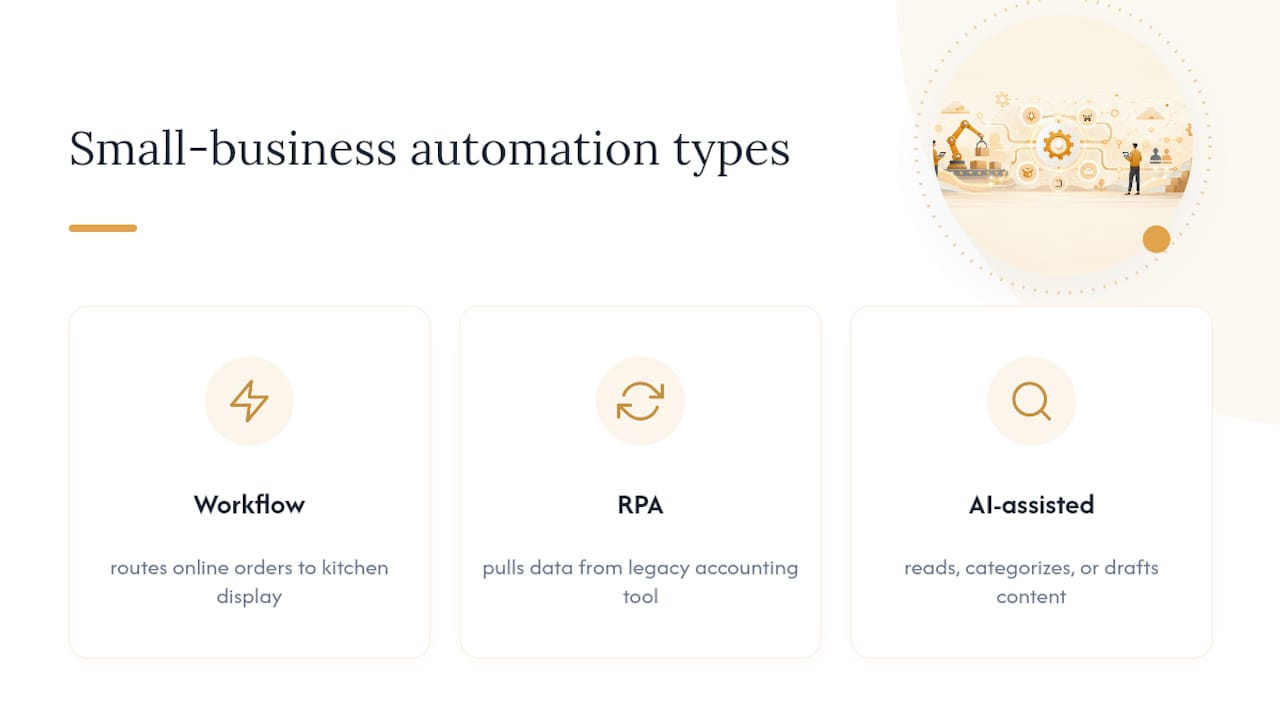
Three flavors show up most in small business: workflow automation (connecting apps with if-this-then-that logic), robotic process automation or RPA (software that mimics clicks and keystrokes on a desktop app that has no API), and AI-assisted automation (tools that read, categorize, or draft content as part of the flow). A restaurant using Power Automate to route online orders to the kitchen display is workflow automation. A bookkeeper using RPA to pull data from a legacy accounting tool that can't otherwise connect to anything is a different problem entirely.
What Are the Benefits of Automating Business Processes?
Time savings are the most obvious payoff, but they compound. A staff member who spends 45 minutes a day manually entering invoice data gets that time back for client work, and across a five-person team, that adds up to real capacity without a new hire. Automation also drives down error rates. Manual data entry is where typos, duplicate records, and missed follow-ups creep in, and a well-designed workflow removes the human step where those mistakes happen.
Compliance improves for the same reason. When a process runs through defined steps, every time, you get a built-in audit trail, which matters if you're in a regulated space like NDIS service delivery or bookkeeping.
There's also an employee experience angle that gets overlooked. Nobody took a job to re-key the same spreadsheet every Monday, and removing that grind tends to reduce turnover in roles that are otherwise heavy on repetitive administration. A trades business that automates job dispatch and inventory alerts can take on more work orders without adding office staff, which is the scalability case in miniature: enterprise data on automation adoption shows meaningful time savings accumulate even in small teams once the right tasks are targeted.

How Do You Decide What to Automate First?
Most small businesses stall out here, not because automation is hard, but because there are too many candidate processes and no way to rank them. Fix that with a quick audit and a simple scoring matrix instead of trying to map every workflow in the company.
Run the audit in under a week using this sequence:
- Pick one department (finance, sales, HR, or operations) and list every recurring task someone does more than once a week.
- Time each task roughly, in minutes per occurrence, and multiply by how often it happens monthly.
- Score each task on four factors: frequency, time per occurrence, customer or financial impact, and how easy it would be to automate with existing tools.
- Rank by impact divided by effort. High impact, low effort tasks go first regardless of how "important" they feel.
- Pick one, not three. A single pilot with a clear owner beats three half-finished automations.
Quick wins that consistently score high: appointment reminders, invoice follow-ups, new-lead notifications, and onboarding document requests. These tasks happen often, take real time in aggregate, and almost always have an existing no-code tool ready to handle them, which is exactly the kind of five-step approach Asana recommends for identifying and piloting repetitive work before scaling it further.
High-Impact Automation Ideas You Can Copy This Week
These are the workflows that show up again and again across small businesses, organized by function so you can grab the one that matches your biggest headache.
Finance:
- Invoice arrives → routes for approval based on dollar amount → payment reminder sent automatically at 7 and 14 days overdue.
- Expense receipts photographed and auto-categorized instead of manually logged at month end.
Sales and CRM:
- Web form submission → creates a CRM record → triggers a nurture email sequence → notifies the assigned rep by Slack or text.
- Quote requested → auto-generates a draft proposal from a template → flags for review before sending.
Marketing:
- Blog post published → auto-shares across social channels on a staggered schedule.
- New subscriber → drops into a welcome sequence segmented by the source they came from.
HR:
- New hire signed → triggers a checklist: contract sent, IT equipment ordered, first-day calendar invite created, compliance documents requested.
Operations:
- Customer books online → appointment auto-confirms and syncs to the technician's calendar and route.
- Inventory drops below threshold → purchase order drafted automatically for supplier approval.
Customer service:
- Support ticket comes in → auto-routes by keyword to the right team member → common questions get a canned response instantly → anything unresolved after two hours escalates.
A full lead-to-onboarding flow ties several of these together: a form fill creates the lead, a nurture sequence runs while sales follows up, the signed contract triggers HR's onboarding checklist, and finance gets notified to set up billing, all without anyone re-entering the same customer details four times. Tools like IFTTT handle the simpler versions of these connections for teams that don't need anything more complex than a trigger and an action.
What's the 5-Step Roadmap for Rolling Out Automation?
Skip straight to tools and you'll automate a broken process faster, which just moves the mess downstream. The five-step implementation approach below keeps things in order.
- Audit and map the process. Write down every step exactly as it happens today, including the workarounds nobody admits to. Capture who touches it, how long each step takes, and where delays happen.
- Pick a pilot and secure a sponsor. Choose one process from your prioritization matrix and get a manager or owner who actually cares about the outcome, not just IT.
- Design the workflow. Define the trigger, the approval points, and what happens when something breaks, like a form field left blank or an API that times out.
- Choose the right approach and test in a sandbox. A no-code platform, a low-code tool, or a short script, matched to complexity, not ambition. Test with real but non-critical data before going live.
- Monitor, document, and scale governance. Track what worked, write it down, and only then expand to the next process.
Pro Tip: Run your pilot for at least two full business cycles before deciding whether it's working. A one-week test almost always looks better than reality because everyone's paying extra attention to it.
For operations-heavy businesses, a related workflow worth reviewing is job dispatch automation, which follows the same audit-first logic applied to scheduling and route assignment.
Which Tools Should You Use, and How Do You Avoid Overbuying?
Four tool classes cover almost every small business need. iPaaS and integration platforms connect many apps at once and handle complex, multi-step flows. No-code and low-code workflow builders let non-technical staff build automations visually, which matters because no-code adoption is growing specifically among smaller teams that don't have a developer on staff. RPA or desktop automation handles legacy software with no API. Unified HR and payroll platforms bundle onboarding, timesheets, and compliance into one system instead of three.
Before you commit, run through this checklist:
- Does it have a connector for every app you actually use, or will you need custom development?
- What's the pricing model, per user, per workflow, or flat rate, and does it scale with you?
- Can you test in a sandbox before touching live customer data?
- What does vendor support actually look like after the sales call ends?
| Tool class | Best for | Watch out for |
|---|---|---|
| iPaaS / integration platforms | Multi-app, complex workflows | Setup complexity, higher cost |
| No-code / low-code builders | Non-technical teams, quick wins | Limits on very custom logic |
| RPA / desktop automation | Legacy software without APIs | Brittle if the software's UI changes |
| Unified HR/payroll platforms | Onboarding, compliance, payroll | Migration effort from existing systems |
For a one-off task, like auto-filling the same three fields in an old desktop app, a lightweight script often beats forcing an enterprise platform to do a job it was never built for. Power Automate is a good example of a platform that scales from simple cloud flows to desktop RPA and process mining as your needs grow, and it's covered in more depth in this AI workflow automation guide.
Why Automation Sprawl Happens and How to Prevent It
Sprawl shows up when every department buys its own point solution, and none of them talk to each other. You end up with customer data scattered across five tools, nobody sure which record is current, and a support bill that grows every quarter. This is a documented problem: Australian IT leaders increasingly report struggling with SaaS sprawl as automation tools multiply faster than governance can keep up.
Fix it with a few basics:
- Assign one owner per automated process, not a committee.
- Require a change-control step before anyone modifies a live workflow.
- Document what each automation does and why, in plain language, somewhere the next hire can find it.
- Centralize automations that touch shared customer data; leave department-specific, low-stakes ones decentralized.
Related reading on keeping this manageable long-term: business systemisation for growing teams.
How Do You Measure ROI on an Automation Pilot?
Track a short list of metrics during your 30 to 90 day pilot rather than drowning in dashboards. Hours saved per week, error rate before and after, and time-to-completion for the process are enough to tell you whether it's working.
The ROI math is simple: (hours saved per month × hourly cost of that labor) minus (tool cost plus setup time). If a pilot saves 20 hours a month at $35 an hour, that's $700 in recovered labor value, against a $50 monthly tool fee, a clear enough margin to justify scaling.
| Metric | Track during pilot | Report to stakeholders |
|---|---|---|
| Hours saved | Weekly | Monthly total |
| Error rate | Before vs. after | Percentage change |
| Cost of tool + setup | One-time and ongoing | Net ROI figure |
| Adoption rate | Staff usage weekly | Completion percentage |
Report the net number, not just the hours, when you're asking leadership to fund the next phase. More on tracking these numbers over time is in this piece on measuring operational efficiency.
How Championbusinesscoaching Supports Automation Pilots
Championbusinesscoaching runs automation pilots inside a 90-day coaching guarantee: if the agreed results don't show up, the next session is free. That structure forces the audit, prioritization workshop, and AI integration roadmap to actually produce something measurable, not just a plan that sits in a folder. Coaching slots stay limited by design, which keeps the coaching genuinely one-on-one instead of spread thin across too many clients. Championbusinesscoaching holds a 5-star Google rating, and the approach draws on the same prioritization logic covered in this business improvement guide.
Where Do Security and Compliance Fit Into Automation?
Every automated workflow that touches customer data, payment details, or employee records is a compliance question, not just a technical one. Before you connect two systems, know what data flows between them and who can see it at each step.
Access control matters more once automation is involved, because a workflow can move or expose data faster than a person would, and mistakes propagate immediately rather than getting caught by a second glance. Limit each automation to the minimum data it needs, and review who has permission to edit a live workflow, not just who built it originally.
For businesses in regulated spaces, like NDIS providers or bookkeepers handling client financials, automated processes need the same audit trail a manual process would have. If a workflow approves a payment or updates a client record, log when it happened and what triggered it. That log is what you'll need if a regulator or auditor asks how a decision was made.
Vendor choice matters here too. Ask any platform you're considering where data is stored, whether it's encrypted in transit and at rest, and what happens to your data if you cancel the subscription. A platform with strong, well-documented connectors, rather than a patchwork of smaller tools, tends to reduce the number of places sensitive data can leak through, which ties directly back into the sprawl problem covered earlier. Build compliance checks into the design step of your roadmap, not as an afterthought after the pilot's already live.
How Do You Get Staff to Actually Adopt New Automation?
The best-designed workflow fails if the team routes around it, and that happens more often than most owners expect. People stick with the old spreadsheet because it's familiar, even when the new system is objectively faster.
Start change management before the pilot goes live, not after. Tell the team what's changing, why, and specifically what it removes from their plate, since "less manual data entry" lands better than "we're automating the process." Involve the person who currently does the task in the design step; they know the exceptions and edge cases that a workflow diagram misses.
Training works best in short, task-specific sessions rather than one long walkthrough. Show someone exactly how to handle the new invoice approval flow in the ten minutes it actually takes them, then let them use it on a real case with support nearby. Build in a feedback loop for the first two weeks, a quick Friday check-in works, so small frustrations get fixed before they turn into workarounds. Assign a point person on the team who knows the new workflow well enough to answer questions, since that removes the bottleneck of every question going back to whoever built it.
A Practitioner's View on What Actually Slows Automation Down
Most automation advice focuses on tools, but the businesses that struggle almost always skipped the process definition step. You can't automate a workflow you haven't actually mapped, and rushing past that step just makes an inefficient process run faster.
Start with one pilot, not five. Measure it honestly, even when the results are mediocre at first, because that's the data that tells you whether to scale or rethink. If you want a second opinion on where to start, a short conversation with someone who's run these audits before, Championbusinesscoaching's consult, can save you from automating the wrong process first.
— Duncan
Get Help Running Your First Automation Pilot
Championbusinesscoaching is the option for owners who want a working automation pilot in weeks, not a strategy deck that never gets implemented. The 90-day guarantee means the audit, prioritization workshop, and AI integration roadmap have to produce a measurable result, or your next session is free, so there's no risk in finding out where your biggest time drain actually is.
A free consult covers exactly what this guide walked through: scoping one pilot process, running the impact-versus-effort scoring on your specific workflows, and mapping a roadmap you can actually execute with your current team size. Championbusinesscoaching keeps client intake limited on purpose, so the coaching stays one-on-one instead of stretched across too many businesses at once. If you've already got a candidate process in mind, whether it's invoice reminders, lead routing, or onboarding paperwork, book time through the business coaching page and get a plan for it before the month is out.
Sources
- The Complete Guide to Automating Your Business Processes
- Power Automate — Microsoft Power Platform
- Automate repetitive tasks — 5 steps (Asana)