
Yes, ChatGPT can function as an always-available team member for your business right now. The fastest path to real value is a project-based pilot: create one ChatGPT Project scoped to a single function (Marketing, Hiring, or Operations), load it with Custom Instructions and a documented prompt, and run it on your highest-frequency weekly task. That single workflow, done well, typically saves several hours a week before the 30-day mark.
Three things separate businesses that get measurable returns from those that don't:
- Project-per-area scoping: one Project per business function keeps context, files, and instructions clean and relevant.
- A documented Prompt Library: storing successful prompts in Notion or Google Docs eliminates the inconsistency that kills adoption.
- A time-boxed pilot: 90 days with defined KPIs forces honest measurement instead of vague enthusiasm.
Championbusinesscoaching offers a coaching guarantee duration that covers exactly this rollout, including Project setup, Prompt Library build, and staff training.
Pro Tip: Pick one task you repeat every single week, such as writing customer reply emails or drafting a job post, and run your first prompt on that. A repeatable task gives you a clean before/after comparison within days.
Table of Contents
- How ChatGPT for business moves the needle across key functions
- Your 90-day pilot roadmap, week by week
- How to write prompts that actually produce business-grade outputs
- Data handling and security: what U.S. businesses must check first
- How to connect ChatGPT into your existing tools
- How to measure ROI from your ChatGPT pilot
- Common pitfalls that sink ChatGPT pilots
- How Championbusinesscoaching supports your ChatGPT rollout
- Legal compliance beyond U.S. privacy
- How to evaluate ChatGPT vendor reliability and support quality
- Scaling from pilot to enterprise-wide deployment
- Key Takeaways
- The gap between ChatGPT hype and what actually compounds
- Championbusinesscoaching gets your ChatGPT pilot running in 90 days
- Useful sources to read next
How ChatGPT for business moves the needle across key functions
OpenAI's small business guide frames ChatGPT as an always-available staff member whose output quality depends almost entirely on how well you brief it. That framing holds across every function below.

Marketing: Give ChatGPT your brand voice guidelines and a raw blog post, and ask it to produce three social captions, a LinkedIn post, and a short email. Output: 30 minutes of work in under five minutes. Connect it to Slack via a Zapier workflow and drafts land in your marketing channel automatically.
Customer service replies: Paste a customer complaint and your refund policy, then ask for a professional, empathetic reply under 150 words. Response time drops from hours to minutes, and tone stays consistent across your team.
SOPs and documentation: Rather than writing a procedure from scratch, let ChatGPT interview you. Ask it to request clarifying questions until it can produce an accurate step-by-step document. The output quality is noticeably higher than asking directly for the finished SOP.
Hiring: Provide a role title, three core responsibilities, and your company values. ChatGPT returns a complete position description in your tone. Pair this with Championbusinesscoaching's position description generator for a faster, more structured result.
Proposals and bids: Feed it a client brief and your service list. Ask for a structured proposal with an executive summary, scope, timeline, and pricing table. Proposal turnaround time typically drops from a day to under two hours.
Meeting summarization: Paste raw meeting notes and ask for a decision summary with owners and due dates. Salesforce users can push that output directly into CRM records via the API or a Make (Integromat) connector.
Market research synthesis: Paste three competitor pages and ask for a comparison table by feature, price, and audience. Useful for quarterly strategy reviews.
Inbox triage: Ask ChatGPT to categorize a batch of emails by urgency and suggest a one-line reply for each. Works well as a morning routine for busy operators.
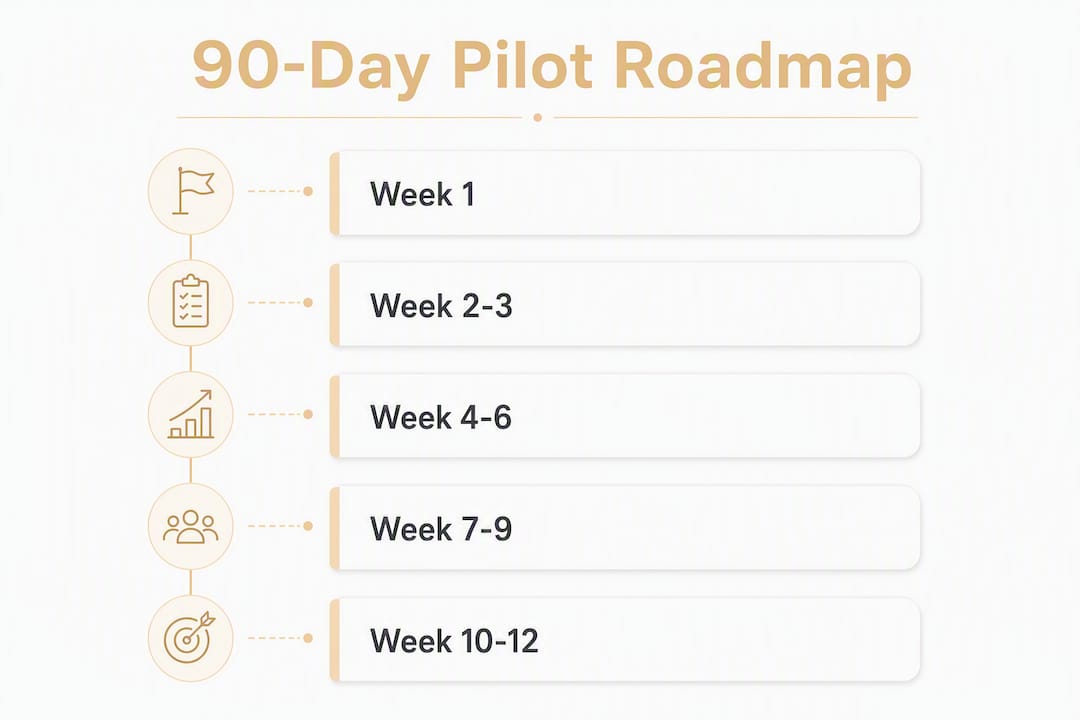
Your 90-day pilot roadmap, week by week
Creating a dedicated Project for each business area improves contextual relevance and repeatability. The roadmap below is built around that principle.
| Phase | Weeks | Key Actions | Expected Outcome |
|---|---|---|---|
| Prepare | 1–2 | Choose plan (Business/Team at $20/user/month), set Custom Instructions, identify one pilot workflow | Workspace ready, context loaded |
| Build & Test | 3–5 | Build Prompt Library (Notion/Google Docs), run pilot workflow daily, collect time-saved data | 5 prompts documented, baseline KPIs set |
| Launch & Measure | 7–12 | Invite pilot users, expand to second workflow, run monthly ROI audit | Hours saved quantified, go/no-go on scaling |
Setup checklist for weeks 1–2:
- Select ChatGPT Business or Team plan and configure workspace defaults (data exclusion from training, SSO if needed).
- Write Custom Instructions: your business name, audience, preferred tone, and any topics to avoid.
- Create your first Project (e.g., "Marketing") and upload one reference file (brand guide, product list).
- Define two KPIs: hours saved per week and outputs produced per month.
- Name one internal champion who owns the Prompt Library.
Pro Tip: Start with the task you do most often, not the one that sounds most impressive. Frequency is what builds the habit and the data.
How to write prompts that actually produce business-grade outputs
Prompt quality is the single biggest variable between useful and generic outputs. Every strong business prompt includes four elements: role, context, constraints, and an example or sample input.
That structure alone eliminates most vague outputs. Below are six copy-ready templates:
- Proposal draft: "You are a proposal writer. Draft a 400-word project proposal for [client name] covering scope, timeline, and investment. Use a professional tone. Base it on this brief: [paste brief]."
- Meeting summary: "Summarize these meeting notes into: (1) three key decisions, (2) action items with owners, (3) open questions. Format as a numbered list. Notes: [paste]."
- SOP interview: "You are a process consultant. Ask me clarifying questions one at a time until you have enough detail to write a step-by-step SOP for [task]. Start with your first question."
- Customer reply: "You are a customer service manager. Write a professional, empathetic reply to this complaint in under 150 words. Policy: [paste]. Complaint: [paste]."
- Cold email: "Write a 100-word cold email to [role] at [company type] offering [service]. Tone: direct and respectful. No buzzwords. Include one specific pain point and one clear CTA."
- Content repurposer: "Take this blog post and produce: one 280-character tweet, one LinkedIn paragraph, and one 60-word email newsletter intro. Keep the core message intact."
Store every successful prompt in a central Prompt Library rather than relying on chat history. Chat history is not searchable, not shareable, and disappears when you switch devices.
Data handling and security: what U.S. businesses must check first
Choose a Business or Enterprise plan and configure workspace defaults before uploading any customer data. On Business and Enterprise plans, conversations are excluded from model training by default, and admins get SSO and usage tracking controls.
Key governance checks before scaling:
- HIPAA: ChatGPT Business does not currently offer a Business Associate Agreement (BAA) for most configurations. Do not process protected health information without confirming your connector setup with OpenAI directly.
- Industry regulations: Financial services firms subject to SEC or FINRA rules, and legal practices under state bar guidelines, should document their AI use policy before deploying ChatGPT on client-facing work.
- PII minimization: Anonymize customer names and account numbers before pasting data into prompts. Use Project-level access controls to restrict who can upload files.
- Audit logs: Business plan admins can track usage per seat. Export monthly logs as part of your compliance record.
Pro Tip: Use Custom Instructions to preload your business context, preferred tone, and any data-handling rules. This reduces the chance a team member accidentally pastes sensitive details into a general prompt.
How to connect ChatGPT into your existing tools
Three integration tiers cover most business setups:
| Tier | Tools | Best For | Cost Signal |
|---|---|---|---|
| Manual app | ChatGPT Projects, Custom GPTs | Fast wins, SOPs, drafting | Included in plan |
| No-code connectors | Zapier, Make (Integromat) | Email, calendar, CRM automation | Connector plan fees apply |
| API | OpenAI ChatGPT API | Custom products, deep data access | Per-token usage billing |
Zapier connects ChatGPT to Gmail, Slack, Google Calendar, and hundreds of other tools without writing code. A typical workflow: new Slack message triggers a ChatGPT summary, which posts back to a Slack channel.
Make (Integromat) handles more complex multi-step automations, such as pulling a Salesforce opportunity, generating a follow-up email draft, and logging the output back to the CRM record.
Salesforce users can use the Einstein GPT connector or a Make workflow to push ChatGPT-generated summaries directly into contact or opportunity records.
The API gives the most control and the lowest per-call cost at scale, but requires a developer to build and maintain the integration. For most small businesses, Zapier or Make delivers 80% of the value at a fraction of the setup time. If you're unsure whether your team is ready to manage that complexity in-house, this guide on when to move to managed AI is worth reading before you commit to an API build.
How to measure ROI from your ChatGPT pilot
Track hours saved, outputs produced, and revenue-influenced outcomes, then run a monthly audit listing the top tasks ChatGPT touched. That three-column audit is the simplest ROI model that actually gets used.
Practical KPIs to track from week one:
- Hours saved per task per week (log before/after time for each workflow)
- Proposals produced per month (volume and turnaround time)
- Customer reply response time (average hours from receipt to send)
- Prompt Library size (number of documented, reusable prompts)
- Adoption rate (active users divided by seats provisioned)
A simple ROI example: if ChatGPT saves a business owner 8 hours a week on drafting and research, that is roughly 32 hours a month. At a conservative contractor rate of $75/hour, that is $2,400/month in avoided labor cost, against a Business plan seat cost per month. The math is not subtle.
Common pitfalls that sink ChatGPT pilots
Most pilots fail for one of five reasons:
- Vague prompts: no role, no context, no constraints. Fix: use the four-element template above for every new prompt.
- No Prompt Library: team members reinvent prompts daily, outputs vary, adoption stalls. Fix: assign one person to own and maintain a shared Notion or Google Docs library from day one.
- AI overwhelm: trying to automate five functions simultaneously. Fix: master one workflow first before expanding.
- Wrong account tier for sensitive data: using a free or Plus account for client data. Fix: upgrade to Business plan before any team deployment.
- Over-reliance on AI for regulated decisions: using ChatGPT output as final legal, financial, or medical advice. Fix: require human review on any output that carries compliance risk.
For change management, keep training micro: a 20-minute walkthrough per workflow, a one-page playbook per function, and one internal champion per team. Adoption follows usefulness, not mandates.
How Championbusinesscoaching supports your ChatGPT rollout
Championbusinesscoaching runs structured 90-day pilots that combine coaching, prompt library development, and operational handover. Every engagement includes:
- ChatGPT Project setup scoped to your business functions
- Custom Instructions configured for your brand voice and audience
- A documented Prompt Library built around your highest-frequency tasks
- Staff training sessions (micro-format, function by function)
- KPI dashboard setup and a 90-day handover report
The firm limits coaching slots to maintain quality, and the coaching guarantee duration means results or your session is free. Rated 5 stars on Google, Championbusinesscoaching works with Australian businesses across trades, NDIS, mortgage broking, food and beverage, and professional services.
Legal compliance beyond U.S. privacy
U.S. privacy law is the floor, not the ceiling. Businesses operating across borders or in regulated industries face additional obligations:
GDPR: if you process data from EU residents (including via a website contact form), ChatGPT's data processing must be covered by a Data Processing Agreement. OpenAI provides a DPA for Business and Enterprise customers.
Industry-specific rules: healthcare (HIPAA), financial services (GLBA, SEC), and legal (state bar ethics rules) each impose their own AI-use constraints. Document your AI policy and get it reviewed before client-facing deployment.
International data transfers: the EU-U.S. Data Privacy Framework governs transfers of EU personal data to U.S. processors. Confirm OpenAI's certification status before processing EU customer data at scale.
The practical step: before scaling beyond your pilot, have your legal or compliance advisor review your AI use policy against the regulations specific to your industry and customer base.
How to evaluate ChatGPT vendor reliability and support quality
OpenAI's Business plan includes priority access to new models, admin controls, and usage analytics. Enterprise adds dedicated account management, custom data retention, and expanded security controls.
When evaluating reliability, check three things: uptime history (OpenAI publishes a status page at status.openai.com), support response time for your plan tier, and the roadmap for model updates that could affect your documented prompts. Model updates occasionally change output behavior, which is why a Prompt Library with version notes matters.
For support quality, Business plan users get standard support. Enterprise customers get a named account team. If your workflows are revenue-critical, the Enterprise tier's support SLA is worth the cost difference.
Scaling from pilot to enterprise-wide deployment
The transition from a single-function pilot to company-wide deployment has three failure points: governance gaps, prompt inconsistency, and seat sprawl.
Before scaling, audit your pilot outputs: are prompts documented, are KPIs positive, and do team members use the library without prompting? If yes, expand to the next function. If not, fix the library first.
For business systemization at scale, treat each new function as a fresh mini-pilot: scope a new Project, document five to ten prompts, set KPIs, and run for 30 days before declaring it production-ready.
Seat provisioning discipline matters. Provision seats by role, not by request, and review usage monthly. Unused seats at $20/month add up fast across a typical-sized team.
Key Takeaways
ChatGPT delivers consistent business value when you scope it by function, document every successful prompt, and measure time saved against a defined KPI set from week one.
| Point | Details |
|---|---|
| Start with one Project | Create one ChatGPT Project per business function to keep context and prompts clean and relevant. |
| Build a Prompt Library immediately | Store every successful prompt in Notion or Google Docs; chat history is not a reliable system. |
| Use the right plan tier | Business plan ($20/user/month) excludes conversations from training and adds admin controls essential for team use. |
| Measure three KPIs | Track hours saved, outputs produced, and response time from week one to build an honest ROI case. |
| Championbusinesscoaching 90-day guarantee | Championbusinesscoaching offers a structured pilot coaching package with a results-or-free guarantee for Australian businesses. |
The gap between ChatGPT hype and what actually compounds
The businesses I see get the most from ChatGPT are not the ones who enabled every feature on day one. They are the ones who picked one boring, repetitive task, built one clean prompt, and ran it every single day for a month. By week four, that prompt is refined, the output is reliable, and the time saving is real and measurable.
The hype around AI tends to push people toward breadth: automate everything, connect every tool, deploy across every team. The compounding returns come from depth. One workflow mastered completely is worth more than five workflows used inconsistently. And the businesses that skip documentation, the ones who rely on chat history and tribal knowledge, almost always plateau within 60 days because nobody can reproduce what worked.
The other thing worth saying plainly: ChatGPT will not replace your judgment on regulated, high-stakes decisions. It will draft, summarize, research, and structure. The human review step is not optional for legal, financial, or compliance outputs. Build that review into your workflow from the start, not as an afterthought.
Championbusinesscoaching gets your ChatGPT pilot running in 90 days
Most business owners know ChatGPT could save them time. The gap is between knowing and having a working system that the team actually uses. Championbusinesscoaching closes that gap with a structured 90-day pilot package: Project setup, Custom Instructions, a documented Prompt Library, staff training, and a KPI dashboard, all delivered with a results-or-free guarantee.
Coaching slots are limited to maintain quality. If you want a guided rollout rather than a DIY experiment, book a consultation to see if there is a slot available. You can also start with a free resource: the cashflow guide or the full ebooks library are practical entry points if you want to build context before your first session. When you are ready to move, request services here.
Useful sources to read next
The sources below are worth bookmarking depending on where you are in your rollout:
- Business Pricing | OpenAI: start here to compare Business vs. Enterprise plan features and seat costs before committing.
- What is ChatGPT Business? | OpenAI Help Center: covers seat types, admin controls, and privacy defaults in plain language.
- Think Bigger: How Small Teams Win with ChatGPT | OpenAI: the best official guide for small business use cases and prompt framing.
- ChatGPT for Business: The Complete Guide | Shorthand: covers the project-per-area method, Prompt Library setup, and ROI tracking in detail.
- How to Use ChatGPT for Business | Kraviona: strong on Custom Instructions setup and governance for teams.
- ChatGPT for Business: 12 Use Cases, Prompts and Pitfalls | Groundwork: useful for matching the right operational mode to each task type.