
Grab a free Excel or Google Sheets template with a 12-month tab and a 13-week tab, plug in three months of real numbers, and you'll have a working cash flow forecast inside 30 minutes. The best files come with an instructions tab, example data already filled in, and a column for tracking actual results against your forecast, which is the feature most free templates skip.
Start with these:
- Business Victoria's cash flow forecasting template, which updates automatically as you type and includes both short-term and monthly tabs.
- Business, built around the five core fields every forecast needs.
- NAB's cash forecast template, aimed at small business owners who bank commercially and want a format their lender already recognizes.
Key Takeaways
A cash flow forecast only works if it's built on real opening balances and cash flow understanding, updated on a set schedule, and checked against actual results every month.
| Point | Details |
|---|---|
| Start with a dual-horizon template | Use a file with both a 12-month tab and a 13-week tab so you cover planning and solvency in one place. |
| Get opening balance right | Include merchant facility balances and petty cash, not just your main bank account. |
| Base timing on your own history | Calculate receivable and payment timing from your last three months of actuals, not industry averages. |
| Track variance monthly | Add an actual-vs-forecast column and review it every month to catch assumption drift early. |
| Escalate repeated shortfalls | When the same gap keeps appearing, Champion Business Coaching converts that signal into a 90-day action plan backed by a results guarantee. |
Table of Contents
- What Belongs in a Cash Flow Projection Template
- How to Build Your First Working Forecast
- Picking Between a 13-Week View and a 12-Month View
- Making the Numbers Actually Trustworthy
- Where to Get a Reliable Template File
- When Your Forecast Shows a Problem You Can't Template Your Way Out Of
- Why the Template Is the Easy Part
- Turn Your Forecast Into a 90-Day Growth Plan
- Sources
What Belongs in a Cash Flow Projection Template
A forecast is only as good as the fields behind it. Skip one of these and the whole model drifts.
- Opening balance. This is every dollar you can actually spend today: bank accounts, merchant facility balances (Stripe, PayPal, EFTPOS holding accounts), and petty cash. Leaving out a merchant account is one of the most common ways small businesses miscalculate solvency, according to Business Victoria's cash flow guidance.
- Cash incoming. Sales receipts, loan drawdowns, grants, and asset sales, listed as rows so you can see which source is doing the heavy lifting.
- Cash outgoing. Payroll, rent, supplier payments, loan repayments, tax installments, and insurance. Group these by category, not by vendor, or the sheet becomes unreadable by month six.
Most solid templates split into four tabs: a monthly forecast, a 13-week weekly view, an actuals-versus-forecast comparison, and an instructions page with sample figures already entered, exactly as Business sets it out.
How to Build Your First Working Forecast
Follow this order and you'll avoid the rework that comes from guessing at structure first and gathering numbers second.
- Pull every liquid balance. Bank accounts, savings, merchant facility holdings, and petty cash tins all count. Missing the merchant balance is the single most common reason a "healthy" forecast turns out wrong within a month.
- Enter month one as actuals, not estimates. Pull real bank statement figures for the most recent completed month. This anchors the whole model to reality instead of hope.
- Set your timing assumptions. Decide how many days it typically takes customers to pay you (check your last three months of receivables for your real average, not an industry rule of thumb) and how many days you take to pay suppliers.
- Project forward using those assumptions. Copy the structure into future months and adjust for known changes: a new hire in March, a seasonal sales bump in December, a loan repayment starting in June.
- Save a version before you touch it again. Duplicate the tab or file before running a "what happens if" scenario, so you can compare against your baseline later.
- Run your first validation pass. Check that every closing balance carries forward correctly, that no month shows a negative opening balance you missed, and that your total inflows and outflows reconcile with what your accounting software shows.
Pro Tip: Build your days-sales-outstanding number from your own invoice history, not a generic assumption. Xero's guidance notes that basing receivable timing on your last three months of actual collections cuts forecast error significantly for businesses with irregular invoicing, which describes most service and trade businesses.
Once the first pass validates cleanly, you have a working baseline. Everything after this is refinement, not rebuilding.
Picking Between a 13-Week View and a 12-Month View
These two horizons answer different questions, and using the wrong one for the job is where a lot of forecasts fall apart.
- The 13-week (weekly) view is a solvency check. It tells you whether you can cover payroll on the 15th and rent on the 1st, and it needs updating every single week to stay useful.
- The 12-month (monthly) view is a planning tool. It's where you test hiring decisions, equipment purchases, and seasonal cash dips, and it holds up fine with a monthly reconciliation.
- Rolling forecasts work best for both: carry the actual closing balance forward as the new opening balance each period, rather than resetting to a static estimate.
- Rule of thumb: if you're worried about making payroll next month, use the 13-week view. If you're deciding whether to hire someone in Q3, use the 12-month view.
Owners who update the 13-week model weekly and reconcile the monthly one on a set schedule report far fewer surprise shortfalls than those who check either sporadically, a pattern Business Victoria's template guidance backs up directly.
Making the Numbers Actually Trustworthy
A forecast you never check against reality is just a guess with a spreadsheet attached. Add a variance column, run scenarios, and avoid the mistakes that quietly wreck accuracy.
- Add an actual-vs-forecast column and review it monthly. This is the single highest-return habit for improving accuracy over time, because it exposes exactly where your assumptions drifted, a point ACCA's cashflow example builds its whole structure around.
- Run "what-if" scenarios. Model a 20% revenue drop, a customer paying 30 days late, or a supplier tightening terms from 30 days to 14. Projectmanager frames this as the move that turns a forecast from a static record into a real decision-support tool.
- Common mistakes: leaving out owner drawings, forgetting merchant account balances sitting in Stripe or PayPal, and treating invoiced revenue as if it were already cash in the bank.
Quick gut-check: if your forecast shows a shortfall two months out, you have three real levers: delay non-critical spending, renegotiate supplier terms, or arrange short-term finance before the gap becomes an emergency.
Where to Get a Reliable Template File
Not every free download online is worth your time. These sources are maintained, come with instructions, and won't leave you guessing at formulas.
- Business Victoria and Business offer government-maintained Excel templates with instructions and example data already filled in.
- NAB's cash forecast template suits owners who want a format aligned with what their bank already reviews for lending conversations.
| Source | Format | Best for |
|---|---|---|
| Business Victoria | Excel, two tabs | Combined monthly and short-term forecasting |
| Business.gov.au | Excel, downloadable | Understanding core field structure |
| ACCA | Excel example | Actuals vs forecast comparison method |
Excel files open in Google Sheets with minor formatting shifts, so pick whichever platform you already use daily rather than forcing a new tool into your workflow.
When Your Forecast Shows a Problem You Can't Template Your Way Out Of
A template tells you there's a gap coming in March. It doesn't tell you what to do about it. That's the line between a DIY forecast and a coaching conversation: if the same shortfall keeps reappearing month after month, or you're staring at a growth decision (new hire, new location, new equipment finance) and the forecast alone isn't giving you confidence, it's time for outside input.
Champion Business Coaching works with clients whose forecasts have flagged exactly this kind of decision point:
- Turning a flagged cash gap into a concrete 90-day action plan, not just a warning
- Building AI-assisted forecasting into a broader operational and profitability review
- Backing the engagement with a 90-day coaching guarantee: results, or the session is free
Explore how this works in practice through Champion's small business coaching guidance on converting forecast results into real decisions.
Why the Template Is the Easy Part
Most advice on cash flow forecasting treats the spreadsheet as the finish line. It's the starting line. Anyone can download a template and fill in twelve months of guesses; the businesses that actually avoid a cash crunch are the ones that update the thing weekly and act on what it tells them.
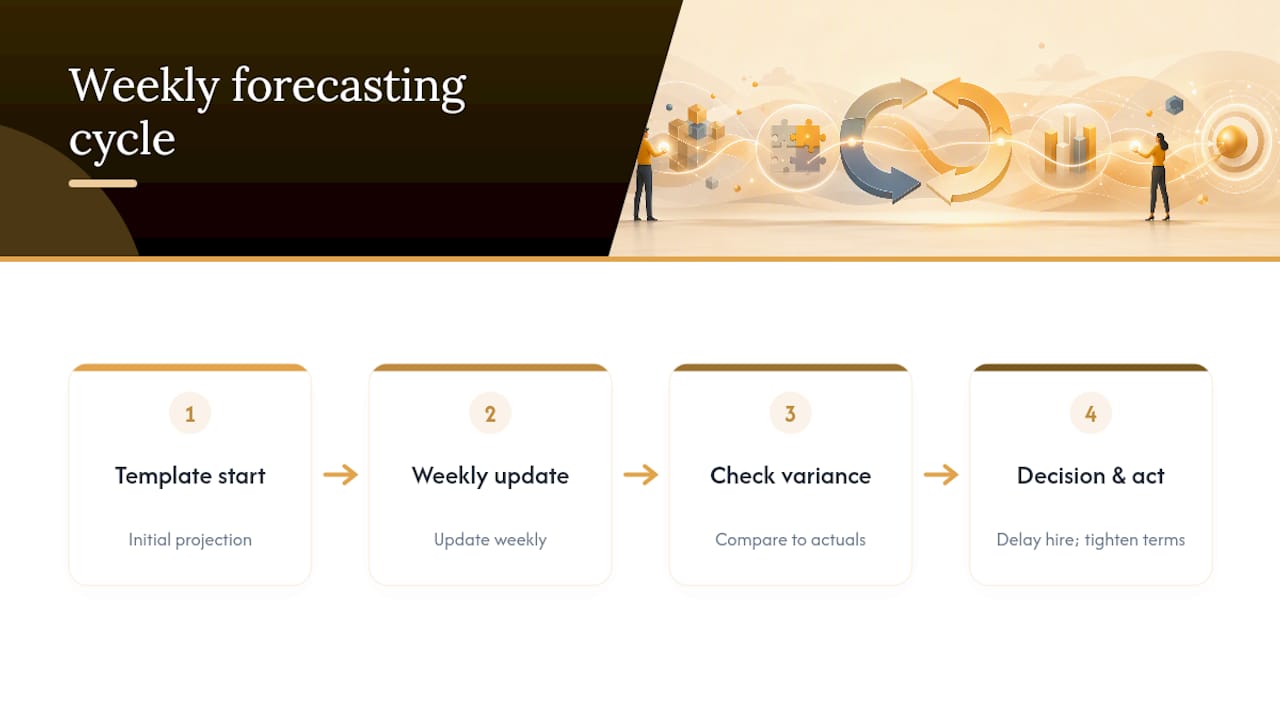
Here's what the conventional advice underweights: the variance column matters more than the forecast itself. A perfect-looking projection that nobody checks against reality six weeks later is worse than a rough one that gets corrected monthly, because the rough one teaches you where your assumptions are wrong. Precision up front is overrated. Discipline in reviewing is not.
The other blind spot is timing decisions. A forecast that flags a March shortfall is only useful if someone reads it in January and acts, whether that means delaying a hire, tightening receivable terms, or lining up finance early. Most owners read their forecast, feel briefly reassured or alarmed, and move on. The number itself never changes anything. What changes things is a decision made off the back of it, ideally with someone checking your assumptions who isn't emotionally attached to the outcome.
— Duncan
Turn Your Forecast Into a 90-Day Growth Plan
A spreadsheet can tell you a shortfall is coming. It can't tell you whether to fix it by cutting costs, chasing receivables harder, or financing your way through a growth phase, and getting that call wrong costs more than the coaching would. Champion Business Coaching picks up exactly where the template leaves off: turning what your forecast reveals into a concrete plan you can execute in the next 90 days, backed by a guarantee that if the plan doesn't deliver results, the coaching session is free.

Whether you're running a trades business juggling supplier terms, an NDIS provider managing irregular payment cycles, or a service business trying to time your next hire, Champion's business coaching programs are built around turning forecast signals into action, not just explaining them. If you'd rather start with something lighter, the 5 Ways Cashflow Guide pairs well with any template you've just downloaded. When you're ready for hands-on support, book a look at the coaching plans and get a clear next step instead of another spreadsheet sitting unopened.
Sources
- Cash flow forecasting template | Business Victoria
- Set up a cash flow statement
- Projectmanager
- Example of a cashflow | ACCA